Re-thinking the OhioHealth App
2023 - 2024 | I conducted research and designed several new features for the OhioHealth help, which were tested with users and showed high desirability.
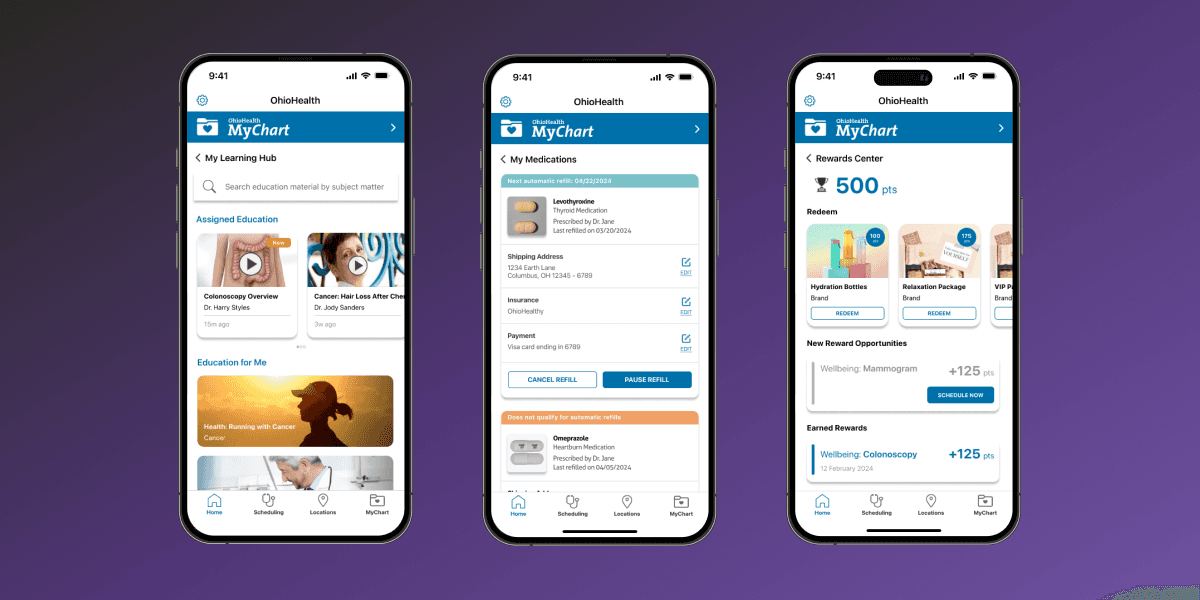
As it stands today, there are two apps that most OhioHealth patients choose between when managing health on their mobile devices: the MyChart app and the OhioHealth app.
In its current state (2024), the OhioHealth app acts as a wrapper around a patient's MyChart account. It allows OhioHealth patients to access their MyChart data and use features offered within the usual MyChart app. Additionally, this app also offers patients the ability to schedule appointments as guests, view nearby OhioHealth locations, and access the OhioHealth blog.
01
Problem Statement
From analyzing user reviews left on the Apple Store and Google Play store, we learned that most patients have been using the OhioHealth app to access features that are offered within their MyChart accounts.
Our team hence wanted to learn more about how smartphones fit within patients’ healthcare journeys, redesign the OhioHealth app by adding features that address patients’ needs, and gauge user interest in preliminary concepts.
02
My Role
My role on this project involved working closely with the project manager to determine design goals and establish alignment with stakeholders. I lead the ideation, user research, and concept design for the OhioHealth app, with a focus on iterative design and frequent user feedback.
03
User Interviews Revealed Patterns in How Patients Use Digital Tools to Support Their Healthcare Needs.
The first order of business was to gather pre-existing research that could be relevant to this project and explore popular mHealth apps on the market.
A few months before the kickoff for this project, I conducted a series of user interviews where I gained a better understanding of how patients utilize the internet and the OhioHealth website when progressing through their healthcare journey, as well as frequent frustrations they encountered while doing so. At the end of the interviews, I synthesized results to yield personas and user journey maps that painted a picture of the different scenarios in which patients were engaging with OhioHealth’s website.
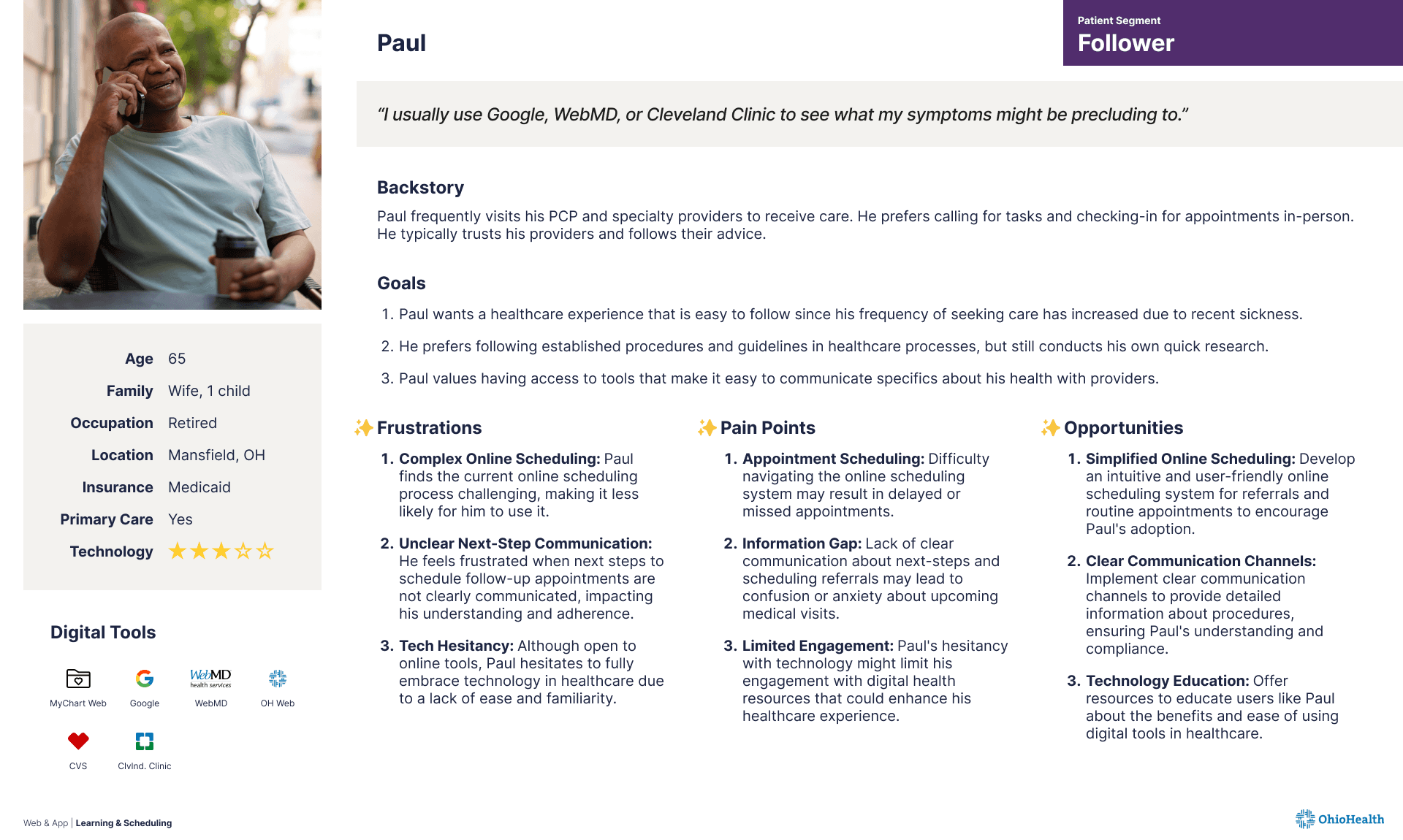
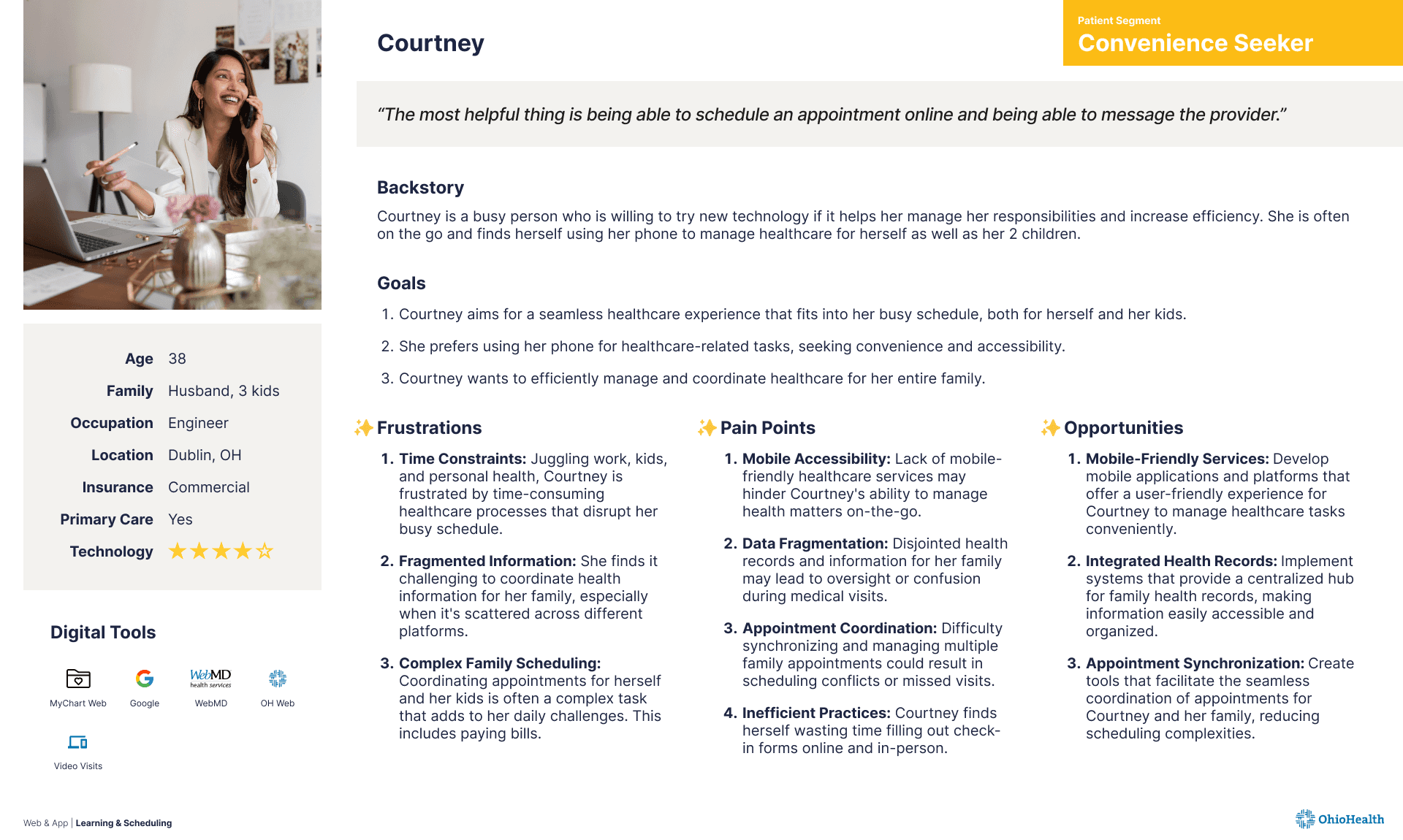
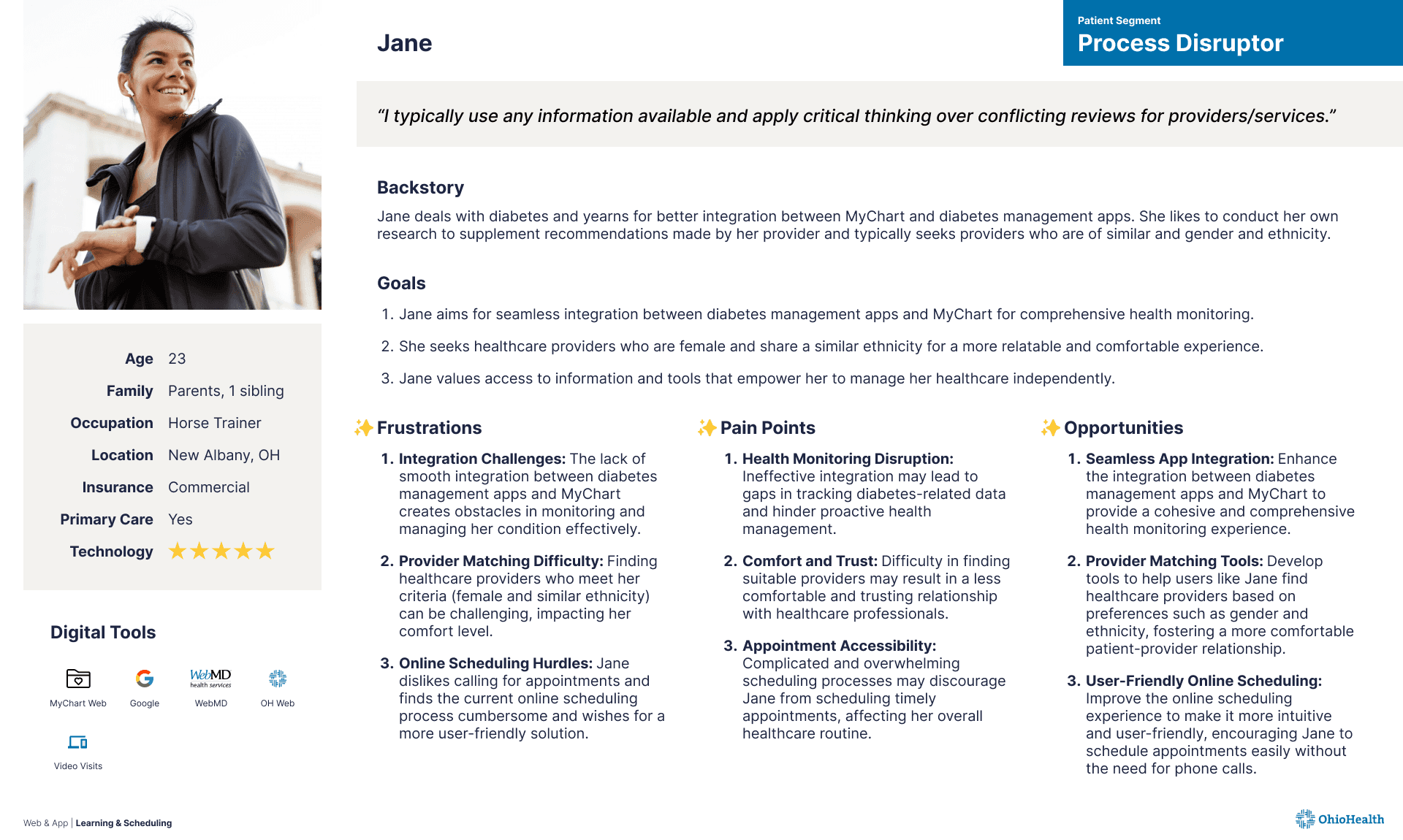
Personas created based on previous user interviews conducted for the OhioHealth website
Although these learnings were focused on the OhioHealth website and how it integrates within the primary care, urgent care, and emergency care experiences, these deliverables still helped us understand the pain points that our patients were frequently experiencing in the digital landscape and explore ideas for how the OhioHealth app could be used to solve these problems.
04
A Look into popular mHealth apps helped validate the user interviews and revealed insights into features that were popular amongst users.
Having this understanding, my next step was to work alongside our project manager and explore the app stores. We looked for apps in and outside the healthcare space that had high downloads and were rated highly by users. Once we narrowed down a list of high-performing apps, we spent some time going through the user reviews to make note of what users were liking and disliking about the apps we found.
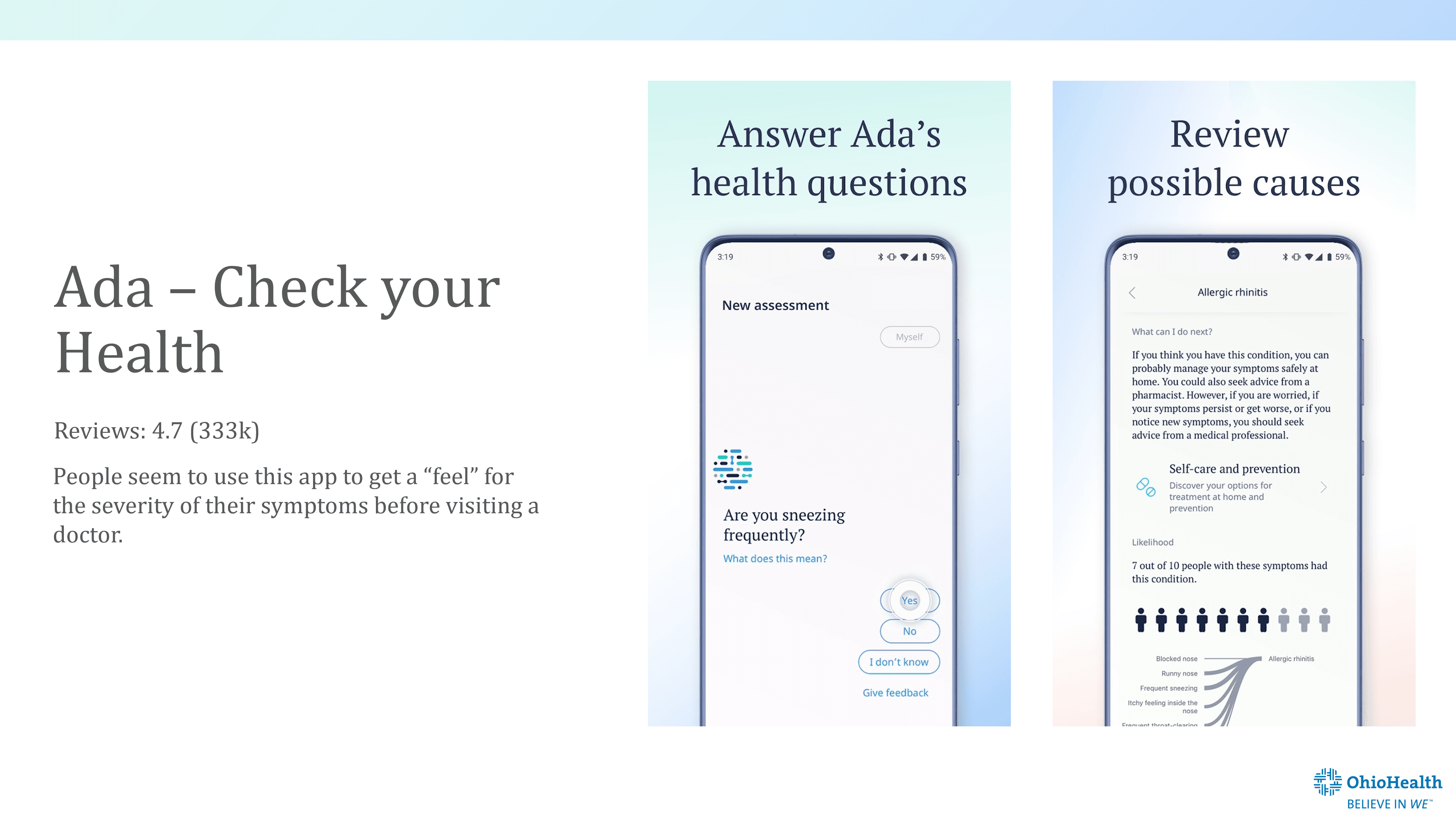
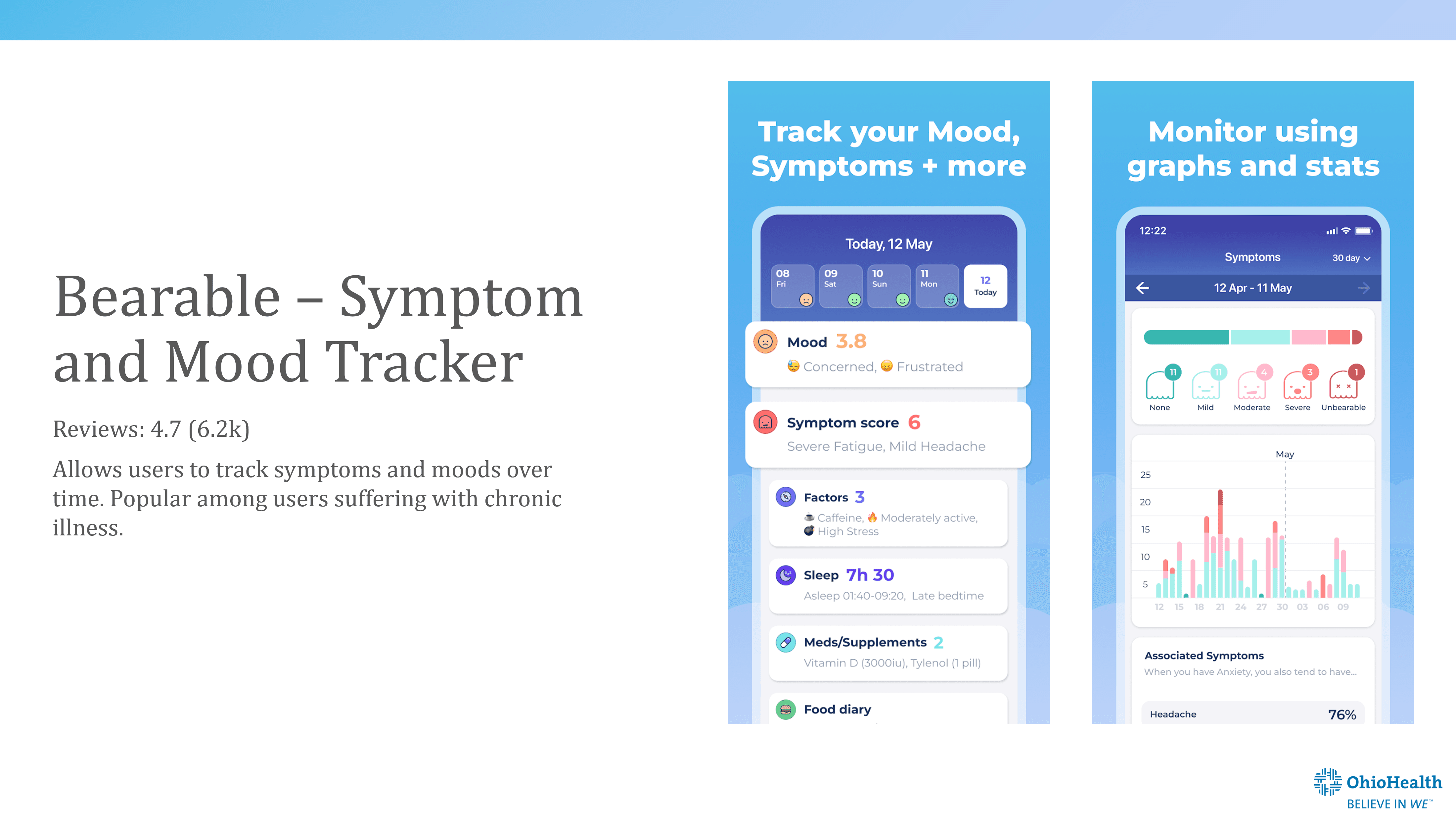
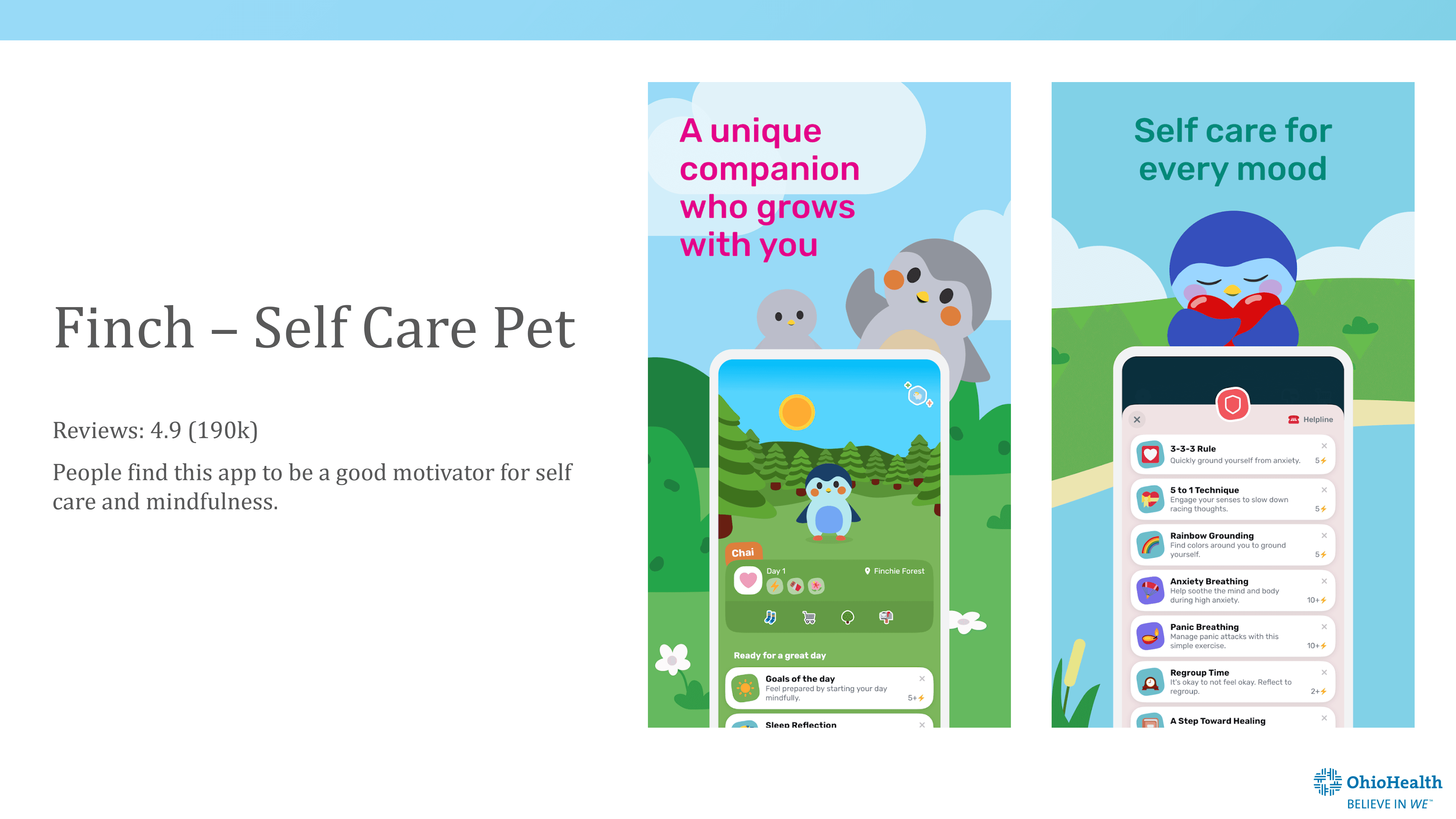
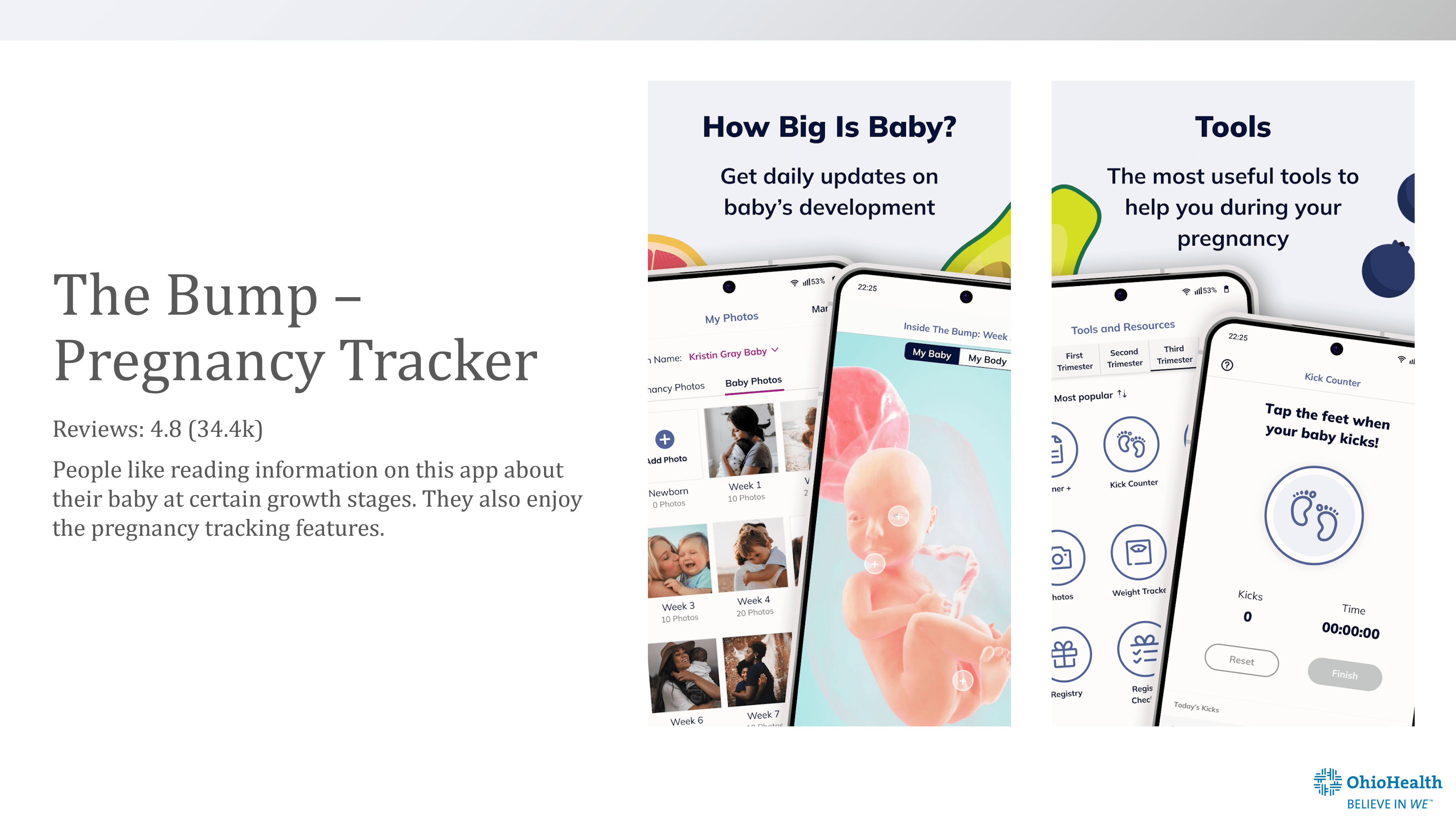
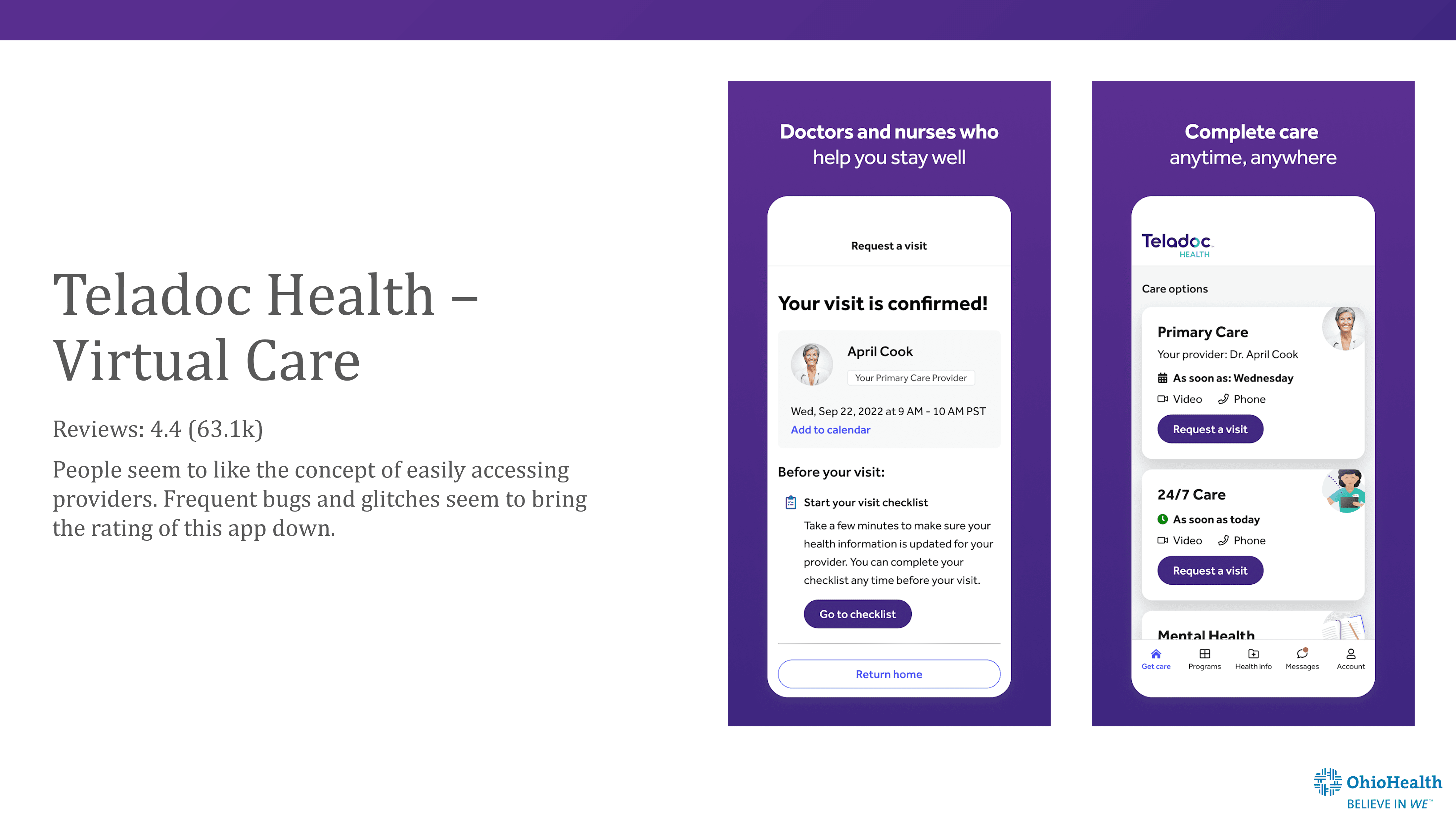
Some popular healthcare apps on the app stores
05
I Planned a Cross-Functional Ideation Workshop with the Goal of Incorporating Perspectives from Business Leaders as well as Hospital Staff.
Armed with these tidbits of information, I set to plan an ideation session that included participants across the organization: UX designers, strategists, business partners, and developers to ideate about the future of the OhioHealth app. It was integral to get cross-functional stakeholders included in the early stages of this project because there was a possibility that the designs developed would need operational changes within hospitals and new business partnerships to be implemented.
The main goal for this ideation session was to brief participants on the problem statement, prime them with relevant research from previous studies, and have them generate ideas using their varying perspectives!
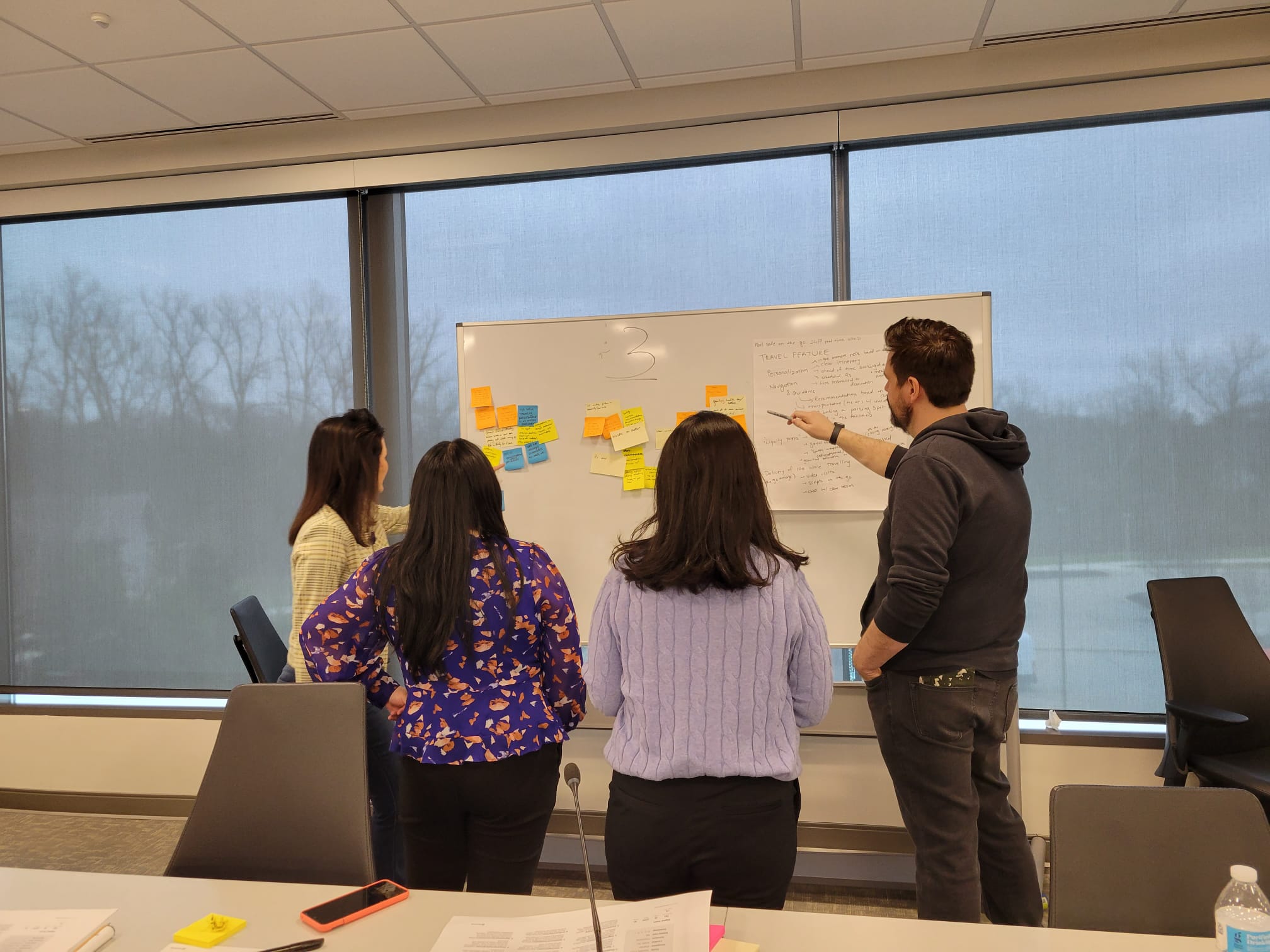
One of the groups working on a mash-up activity during the ideation session
Since we had a relatively large group of participants, I split everyone into 3 groups, ensuring there were representatives from each section of the organization present in every group.
During this session, we:
Reviewed the existing research and went over features already offered within MyChart.
Presented the problem statement.
Utilized speculative design tools by highlighting Social, Technology, Economic, Ecological, and Political trends in the next 2 years.
Ran through a mash-up activity where we brought features from other landscapes into healthcare and thought about new features we could introduce within the OhioHealth app – sky was the limit.
Applied the three lenses of innovation and voted for the many ideas generated.
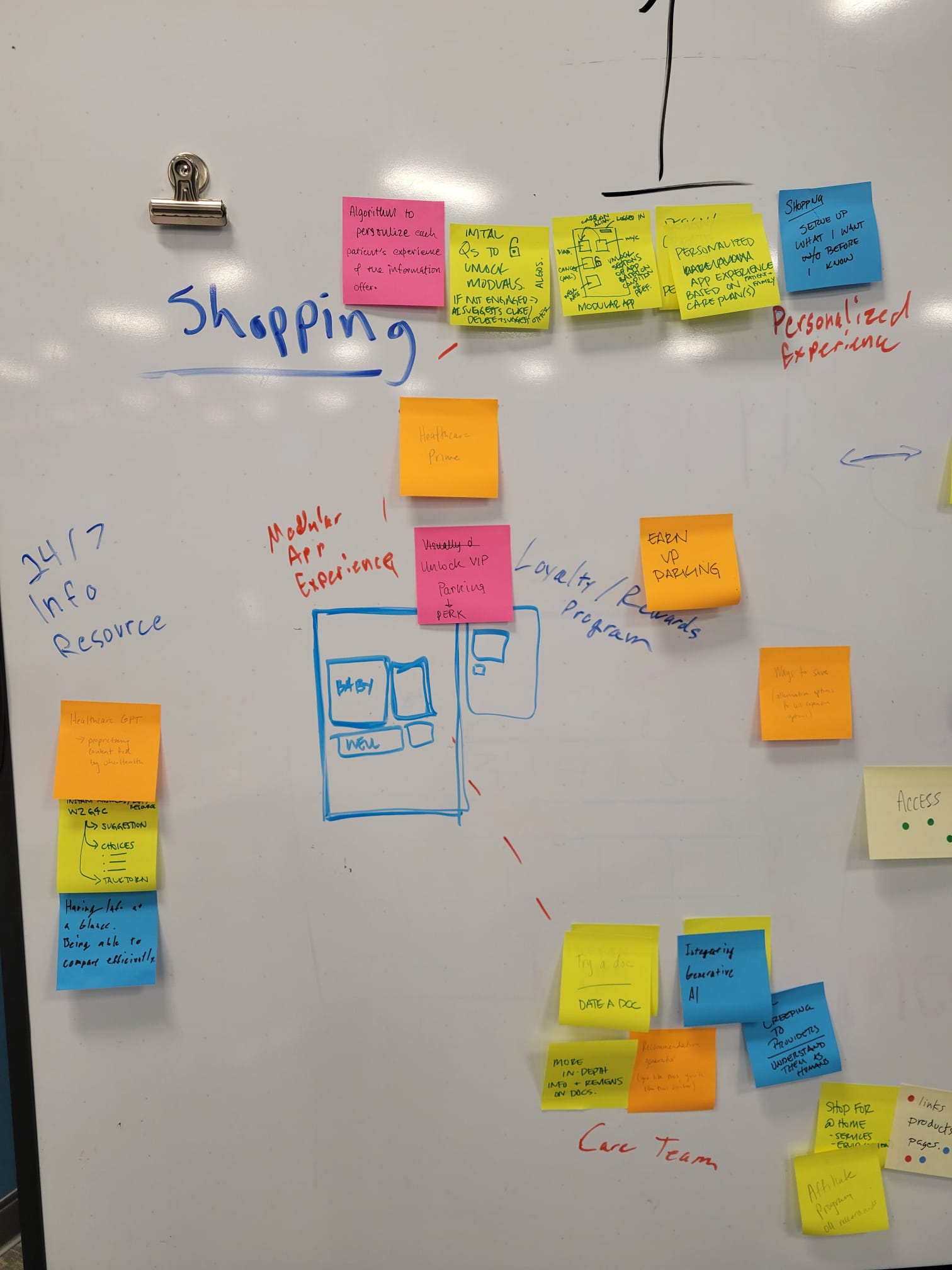
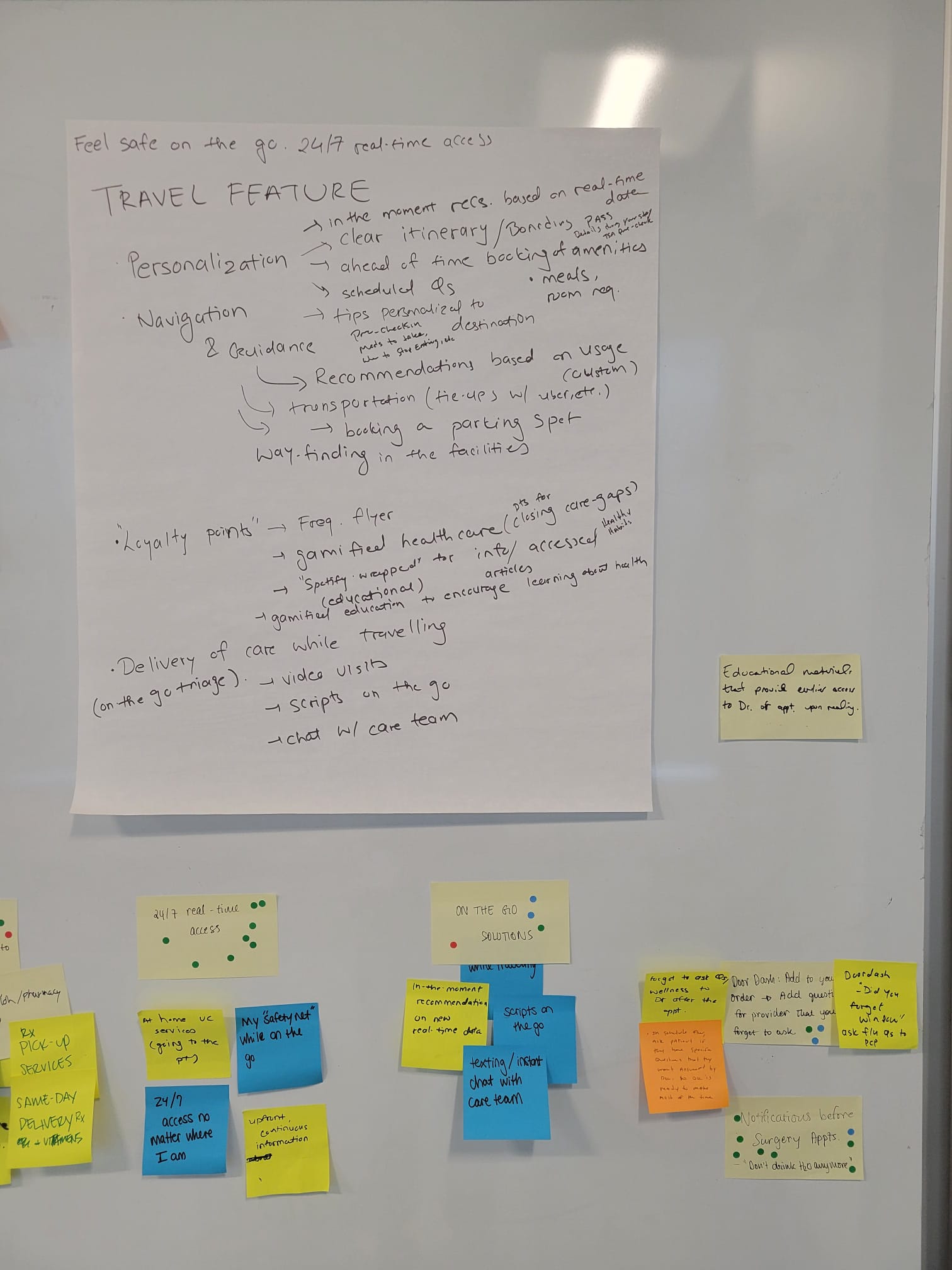
A dot voting activity based on desirability, feasibility, and viability
06
Creating Storyboards Helped Us Ground the Ideas Generated to The Personas Created.
After going over the output of the ideation session, I felt that the ideas needed to be grounded back in what was known about our users and their pain points. We also needed to make sure that the ideas were unique and not already accessible to users within their MyChart accounts. To achieve this, I decided to recruit the UX Team and planned a quick storyboarding session.
The goal of this storyboarding session was to refresh the frustrations highlighted within each persona and find a way to connect each unique idea generated back to the user. The storyboards generated were successful in painting a clearer picture of how the different ideas could help OhioHealth patients and helped maintain the focus on the user.
07
I Synthesized Research, Ideation Insights, And Storyboards to Design Six Concepts For the OhioHealth App.
It was finally time to utilize the known frustrations of the user, the ideas generated, and the storyboards created to design some concepts.
To start this phase, I began with a few rounds of wireframing. The storyboarding session had created the baseline for some features that could be added to the OhioHealth app, but the ideas needed to be shaped further to be presented as a concept that could be tested with users.
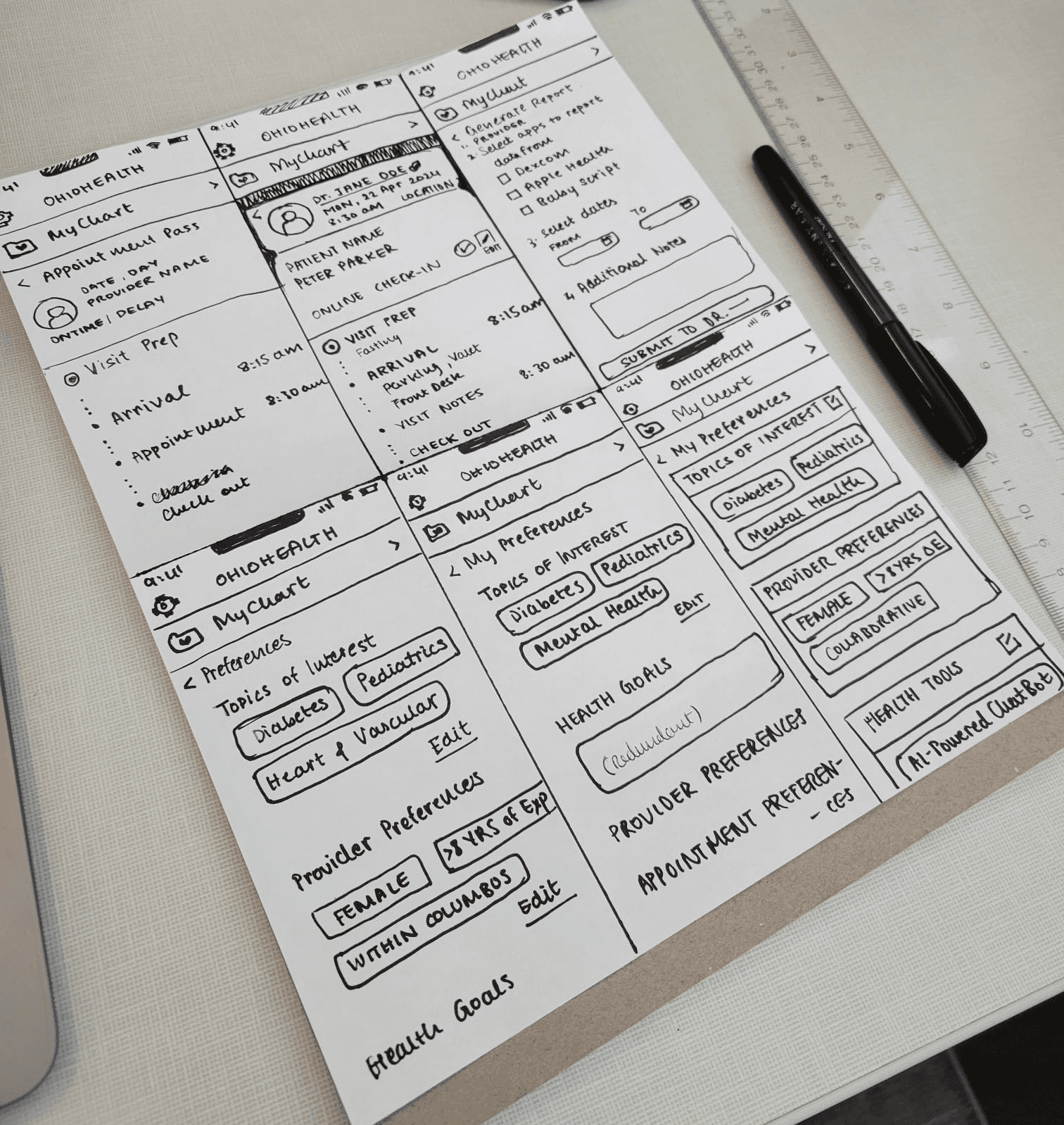
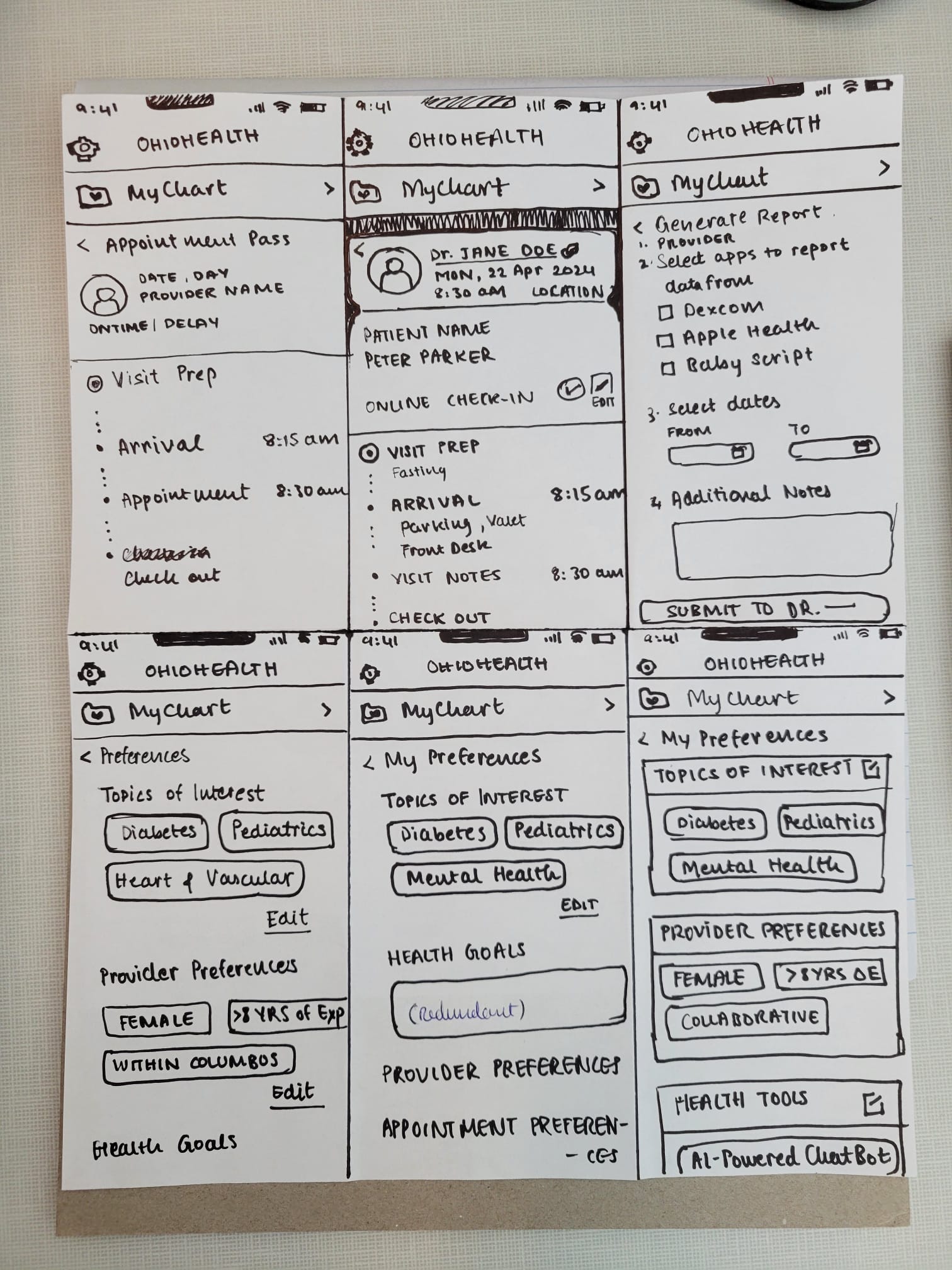
Wireframes created based on the ideation session and storyboards
After a few rounds of crazy eight brainstorming and reviews from the project manager, I used the OhioHealth Design System in Figma to design 6 different concepts that could be tested with users:
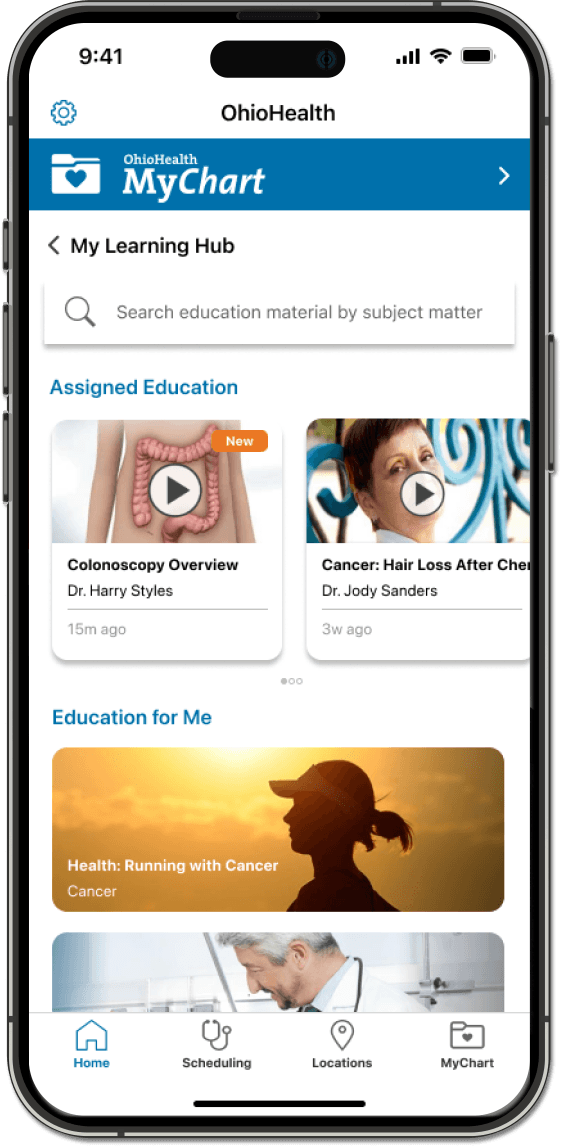
The Learning Hub
Evaluate patients’ recent diagnosis and health information in MyChart to provide a list of helpful articles and actionable steps to manage health conditions. Providers could also prescribe learning material to patients within this hub.
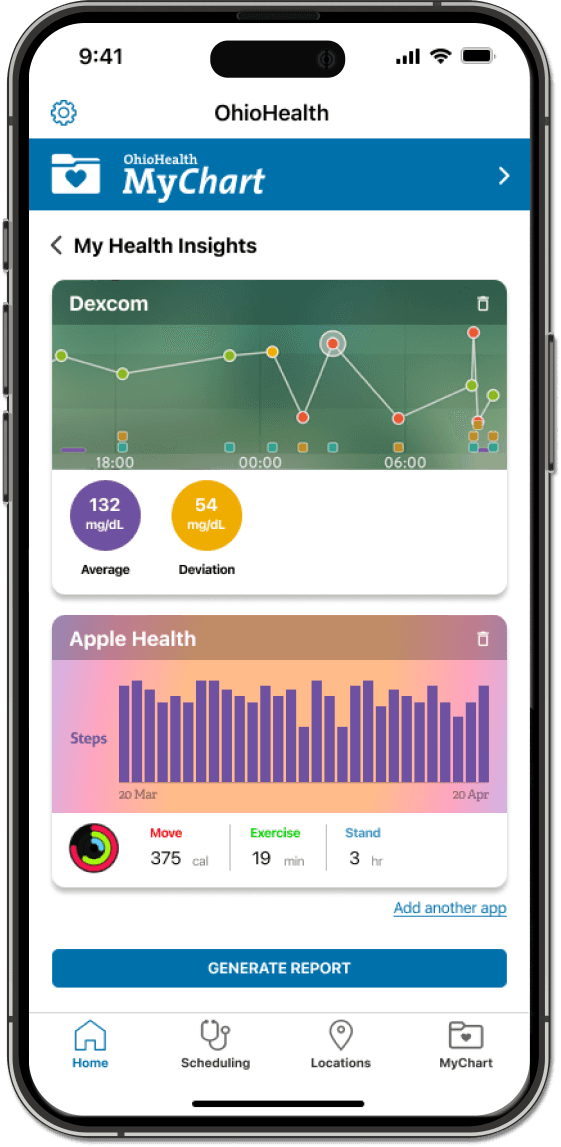
Health Insight Reports
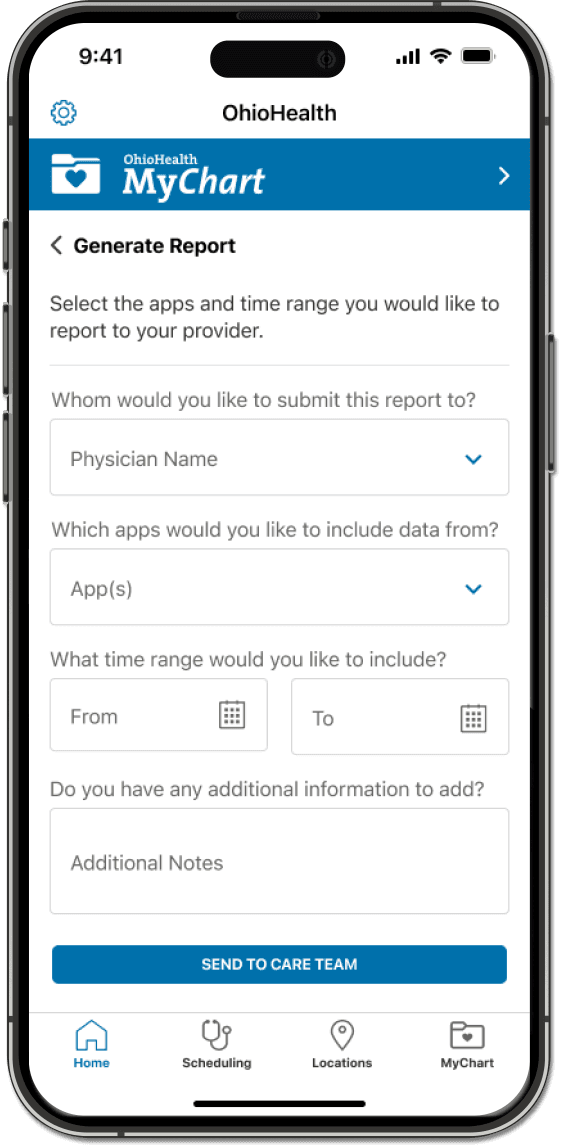
Allow patients to import information from chronic disease management apps and send reports to their physician within the app.
Routine Check-up Rewards
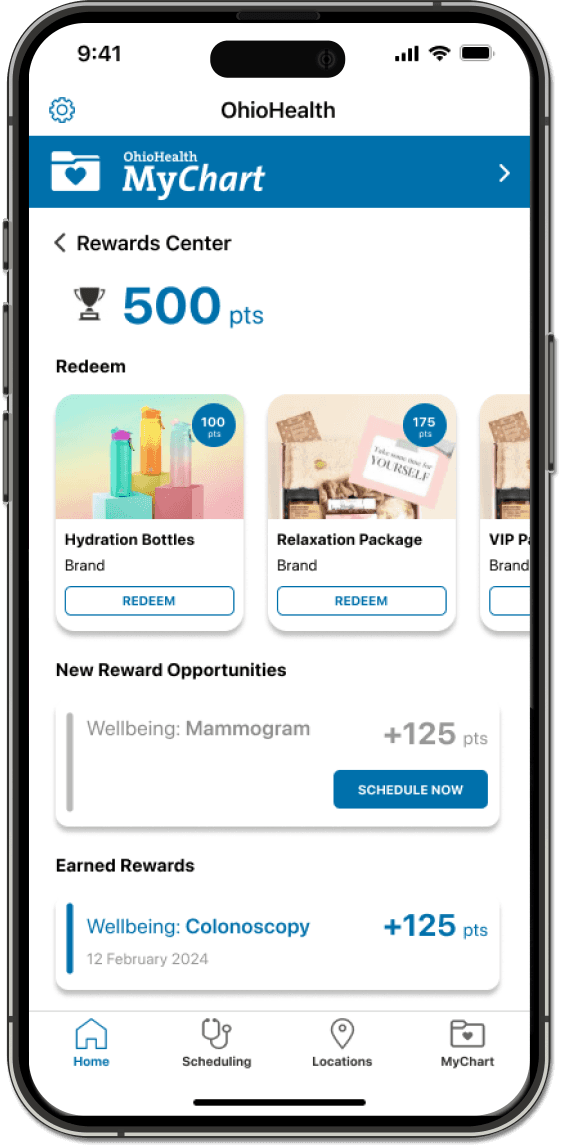
Allow patients to earn rewards (like gift cards, access to VIP parking, etc.) when they complete certain routine health appointments (like colonoscopies, mammograms, etc.).
Automatic Prescription Refills
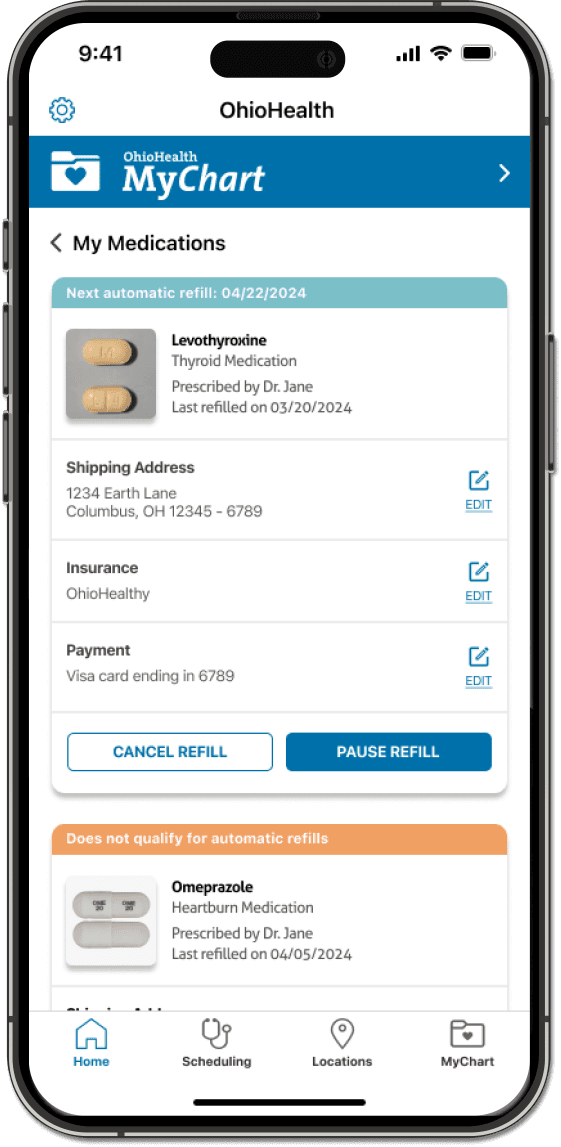
Give patients the ability to sign-up for and manage automatic refills for prescribed medications. This feature would also allows patients to pause or cancel medication refills.
Preference Management Center
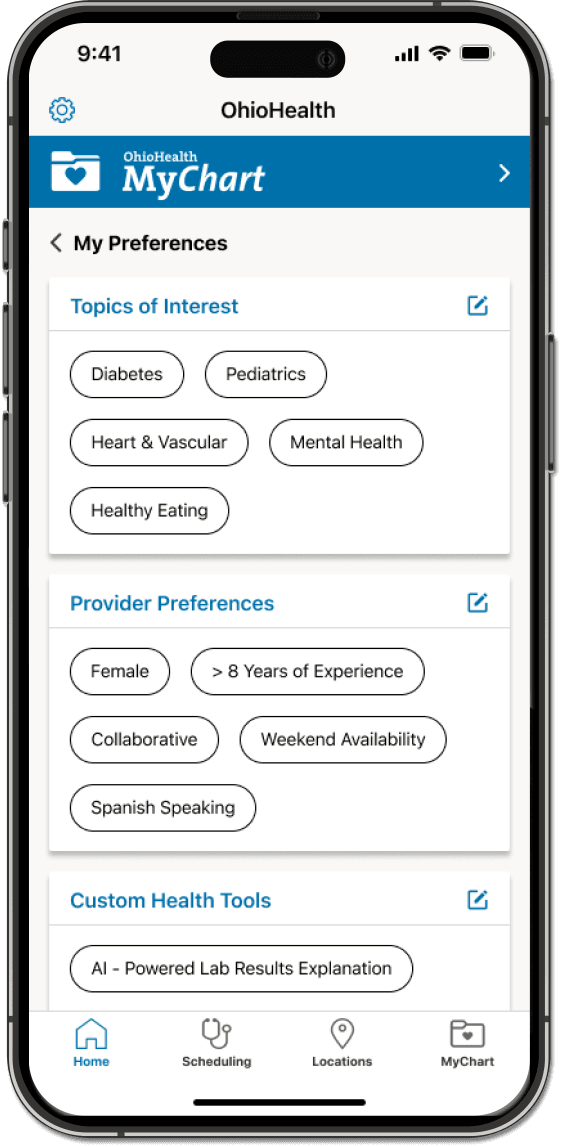
Offer patients the opportunity to customize the app and available features to their liking. This feature could be integrated with other concepts to improve the patients ability to customize the app to suit their needs.
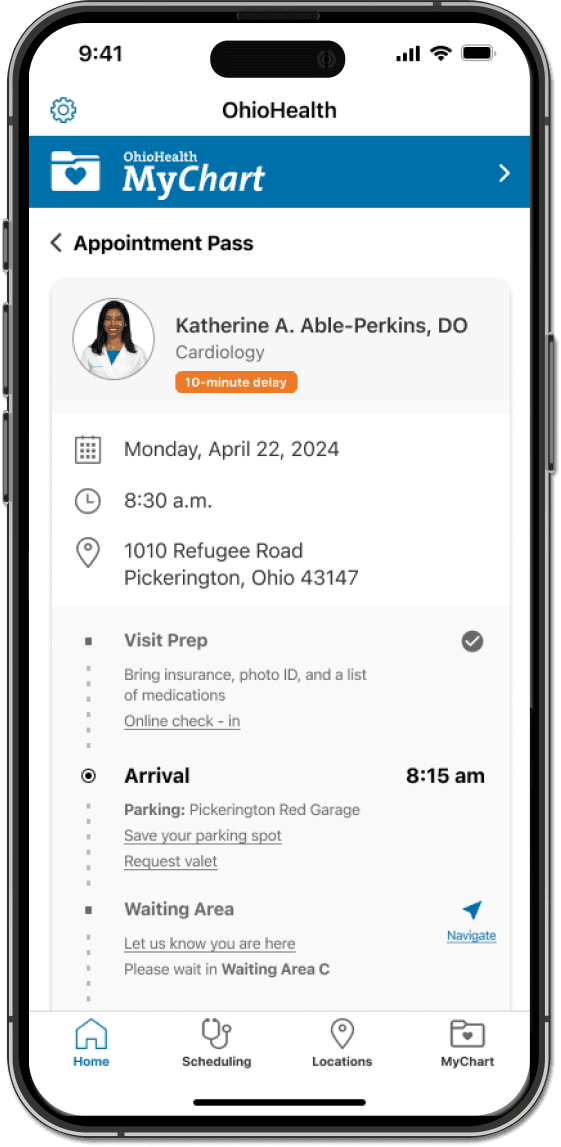
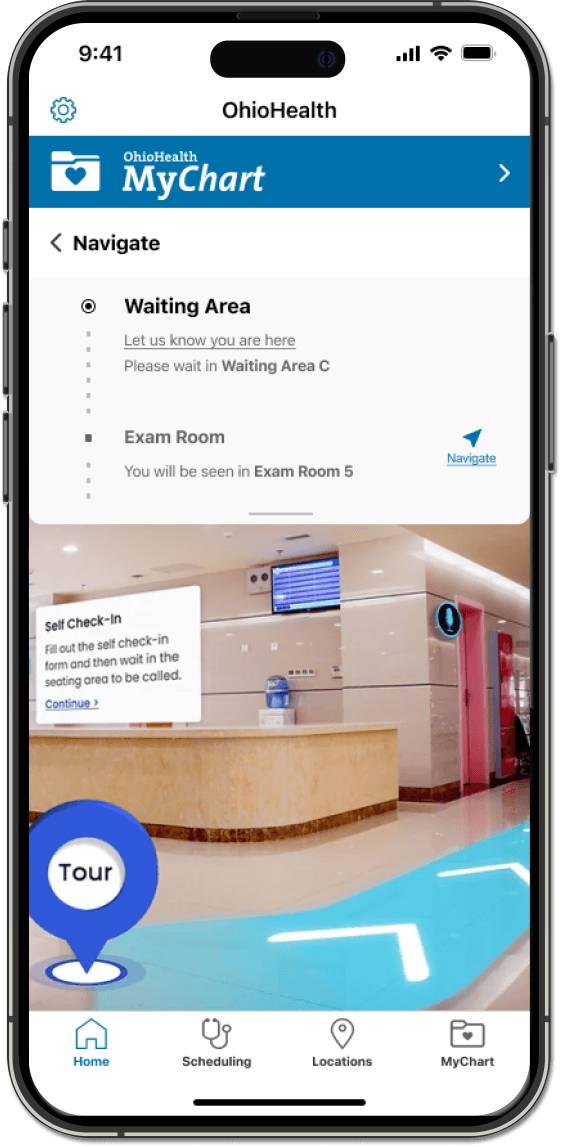
Appointment Pass and AR Wayfinding
The app allows patients to view information relevant to an upcoming appointment (like steps to check-in, where to park, what floor to go to, etc.) in the form of a boarding pass. The appointment pass also allows patients to navigate through hospitals using AR wayfinding.
08
Concept Testing Revealed Insight into Features That Would Fit Seamlessly Within User’s Healthcare Journeys.
I recruited 10 participants with diverse demographics, chronic and non-chronic health conditions, and different levels of technology savviness.
Once the recruiting was complete, I conducted in-person user interviews where I presented participants with the 6 concepts and asked open ended questions to garner feedback.
I was able to learn a lot about:
How participants perceived each concept.
How each concept would fit into their healthcare journey.
Whether participants would have to make changes to their current approach to healthcare to accommodate these concepts.
And what opportunities for improvement exist within their current healthcare journey.
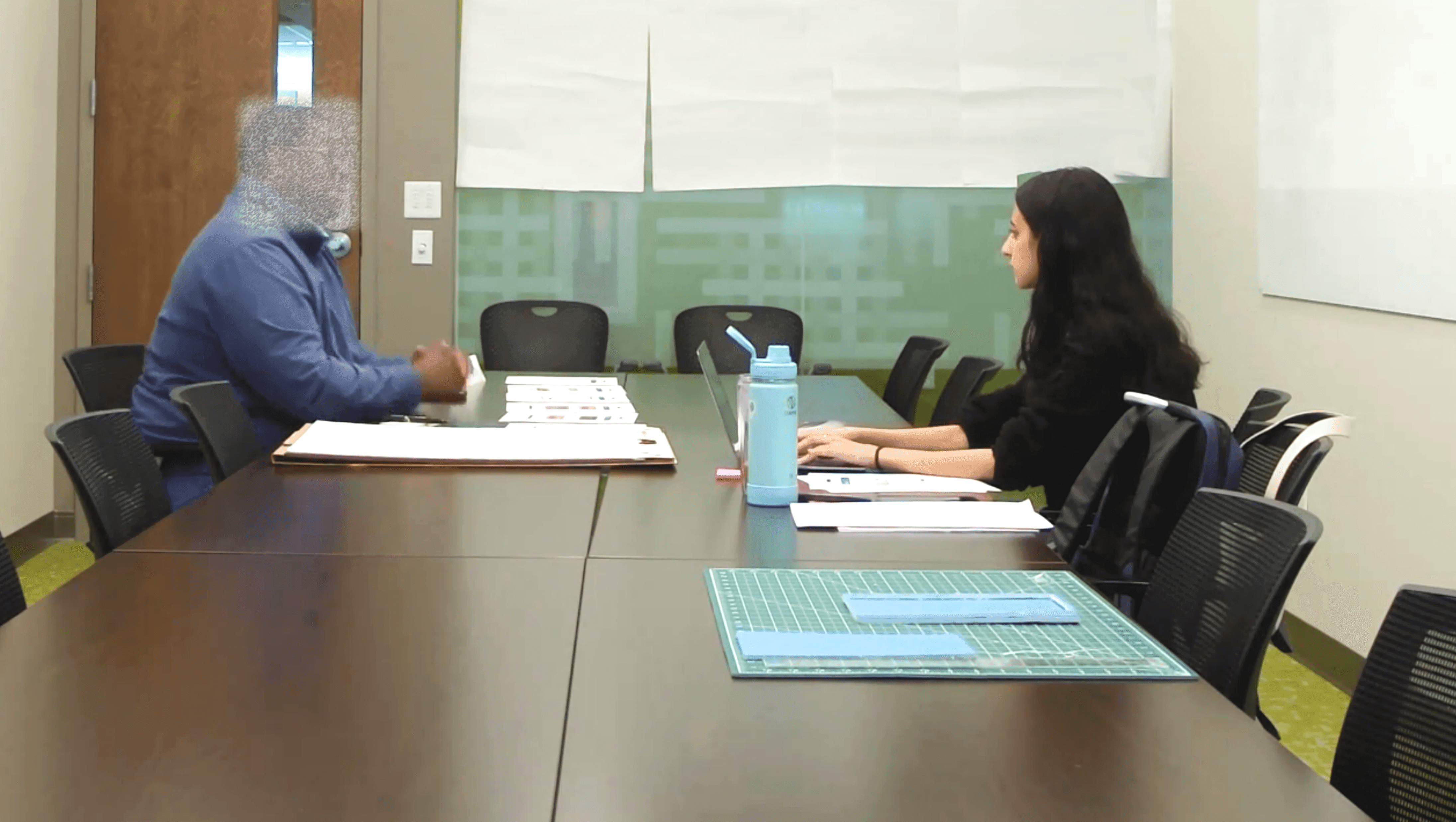
Testing concepts with users to gather feedback
When synthesizing the feedback from these interviews, I was cautious about bias in responses provided by each participant. For example, many participants used words like, “I could see myself using this feature if I started logging my exercise,” whereas other participants mentioned scenarios from their existing lifestyle that would benefit from a concept. It was important to make a distinction between these types of feedback because it would take a major drive to cause people to change their lifestyle and adopt a certain product or feature.
09
Next Steps Will Involve Interviewing Hospital Staff, Presenting to Stakeholders, and Re-iterating Design.
At this point in this project, I had to relocate and could no longer work remotely for OhioHealth, so I had to say goodbye to the OhioHealth App.
However, before leaving, I outlined some next steps:
Conduct quick interviews with providers and hospital staff to learn more about their perspective on these concepts.
Present concepts and synthesis from concept testing with patients to stakeholders to achieve alignment.
Evaluate operational challenges and resources needed for implementation of concepts.
Revisit the design board and create hi-fidelity prototypes for testing with users.